

Step 1: Write the brief
Maya starts with what she knows best: the creative direction.
message field on build_creative. Maya doesn’t need to write JSON — her agency platform translates her direction into the protocol format:
acmeoutdoor.com/.well-known/brand.json. Every agent in the chain reads it from there. Maya’s team maintains it once.
Agency language → protocol terms
Agency language → protocol terms
Step 2: Discover what each seller supports
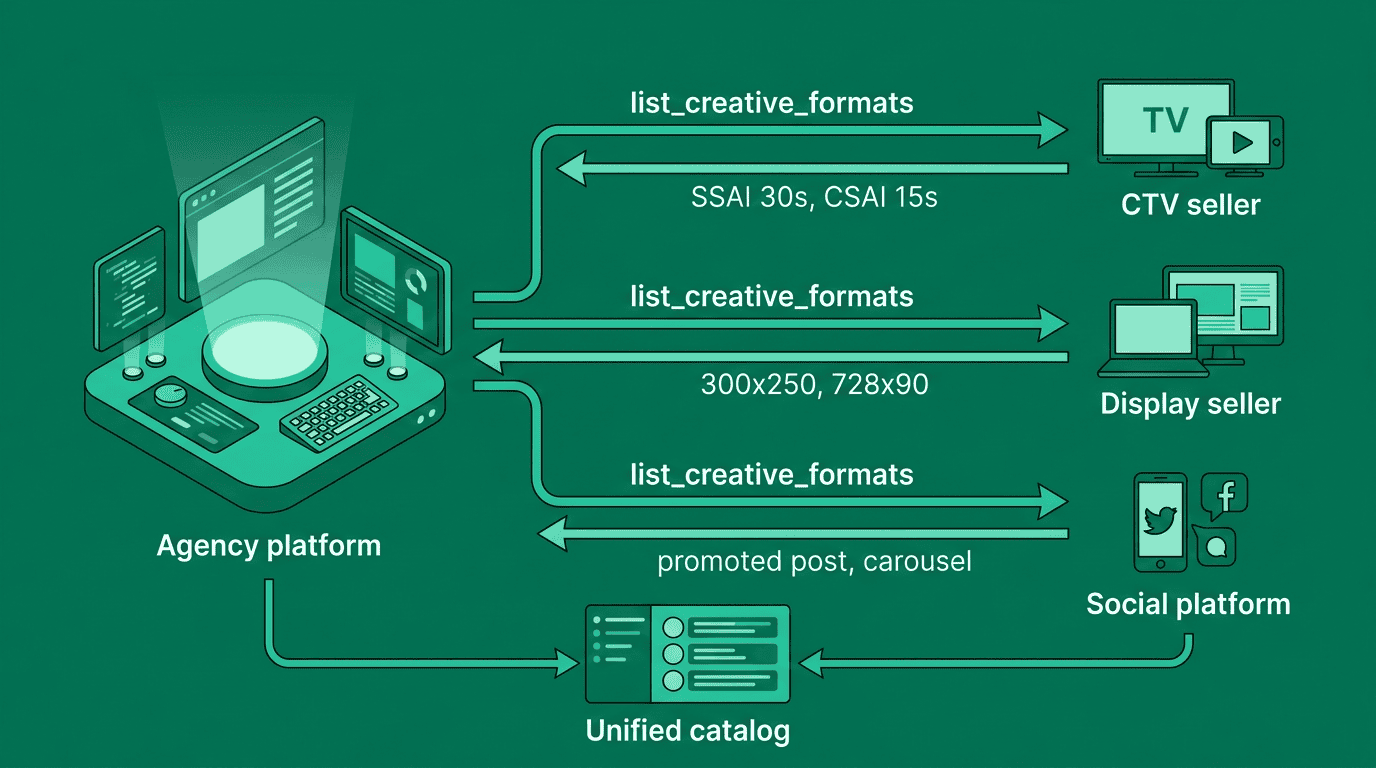
Before generating anything, Maya’s platform checks what formats each seller accepts. This happens automatically — but here’s what’s going on under the hood. Her platform callslist_creative_formats on each connected agent:
Step 3: Check governance constraints
Before generating creatives, Maya’s platform checks what governance constraints apply. A buyer’s governance agent may require security scanning, content categorization, or policy compliance on all creatives. The platform callsget_adcp_capabilities on the buyer’s governance agent to discover what creative features will be evaluated:
registry:eu_ai_act_article_50), the creative agent ensures generated content includes required provenance metadata. If security scanning is required, generated creatives avoid patterns that trigger auto_redirect or credential_harvest flags.
Governance constraints are evaluated after generation via get_creative_features, which scores a specific creative manifest — but knowing the feature set before generation avoids a reject-regenerate cycle. Creative agents that are aware of governance requirements produce compliant output on the first pass.
See the Creative Governance overview for the feature-based evaluation model.
Step 4: Generate and preview
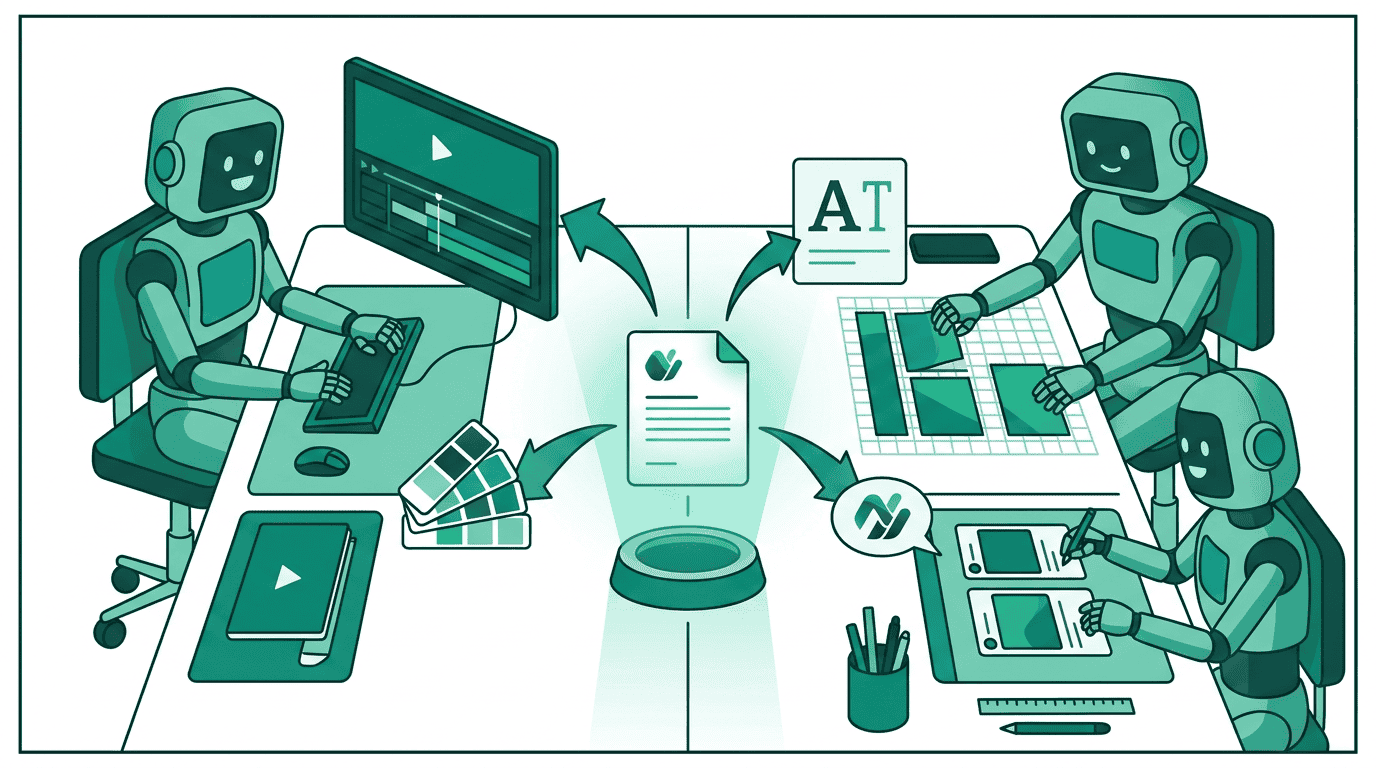
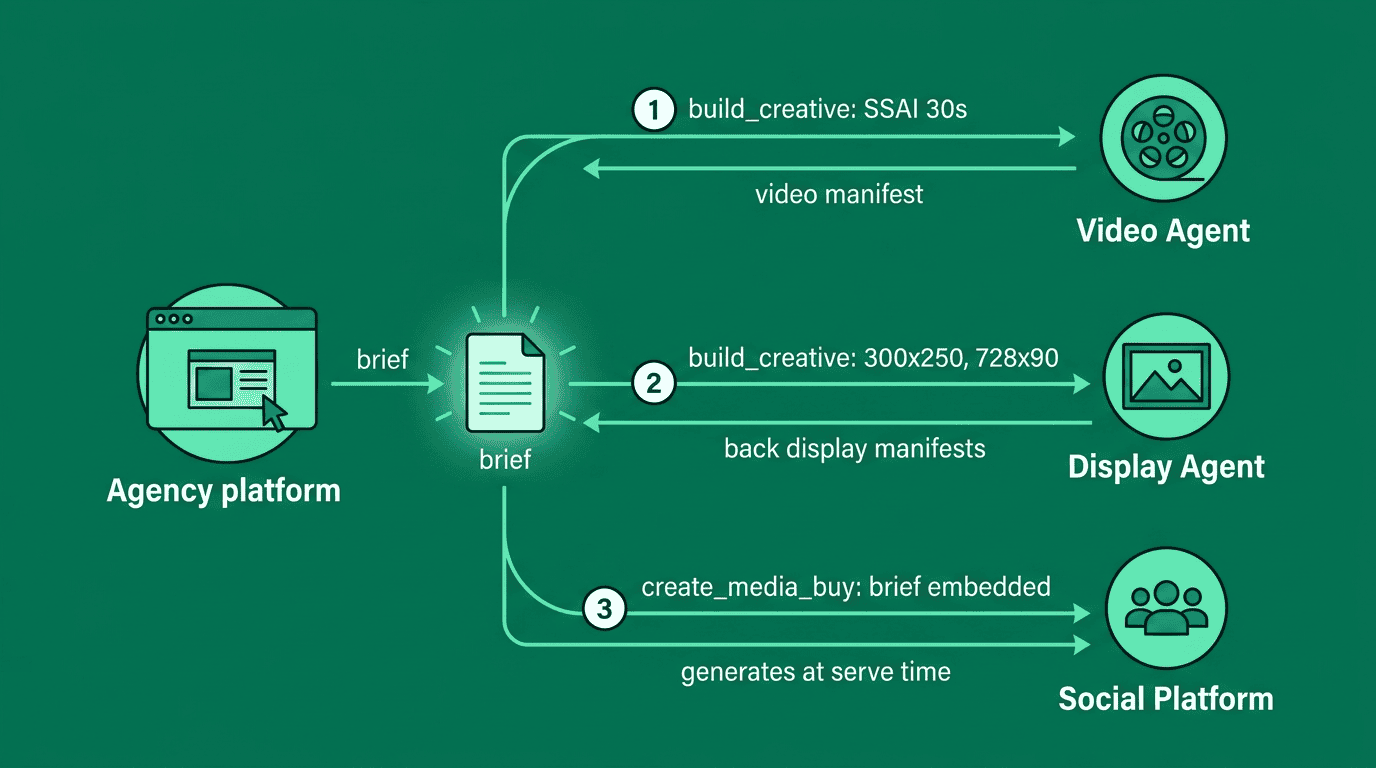

build_creative call with an updated message. The agent iterates. This is the tissue session — fast, low-fidelity, focused on getting the direction right.
When Maya’s happy, she promotes to production quality:
Step 5: Distribute to sellers

sync_creatives on each one — same creative, adapted to each seller’s required format:
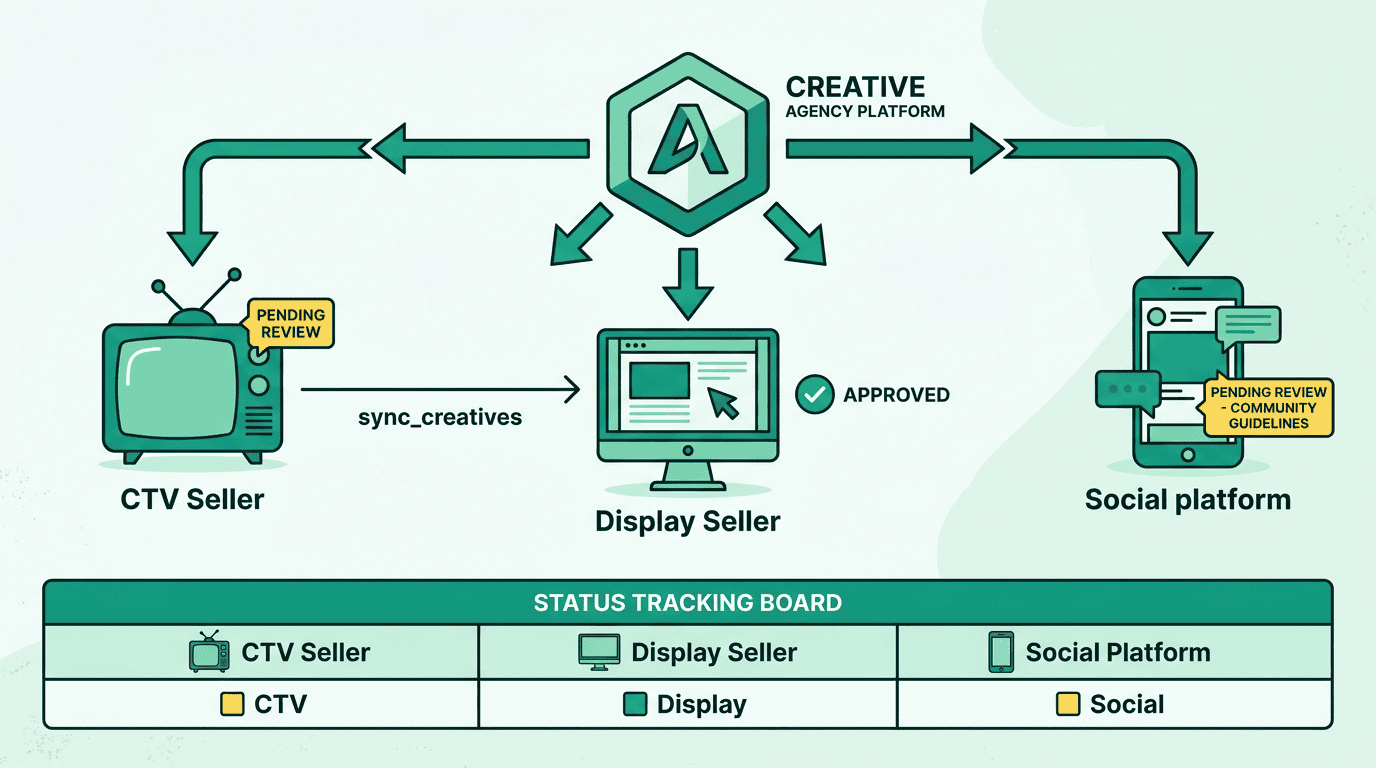
list_creatives shows the rejection_reason referencing that community’s rules.
Step 6: Campaign runs — AI generates variants
The campaign goes live. Here’s where it gets interesting. On StreamHaus, the CTV spot runs as-is — one creative, one variant (Tier 1). On Pinnacle, the display ads run with asset group optimization — the platform tests different headline and image combinations (Tier 2). On CommHub, the social platform generates promoted posts that match each community’s voice and trending topics (Tier 3). Maya doesn’t manage any of this. The protocol handles it. But she can see everything that happened.Step 7: Review delivery and variants

get_creative_delivery on each agent and merges the results:
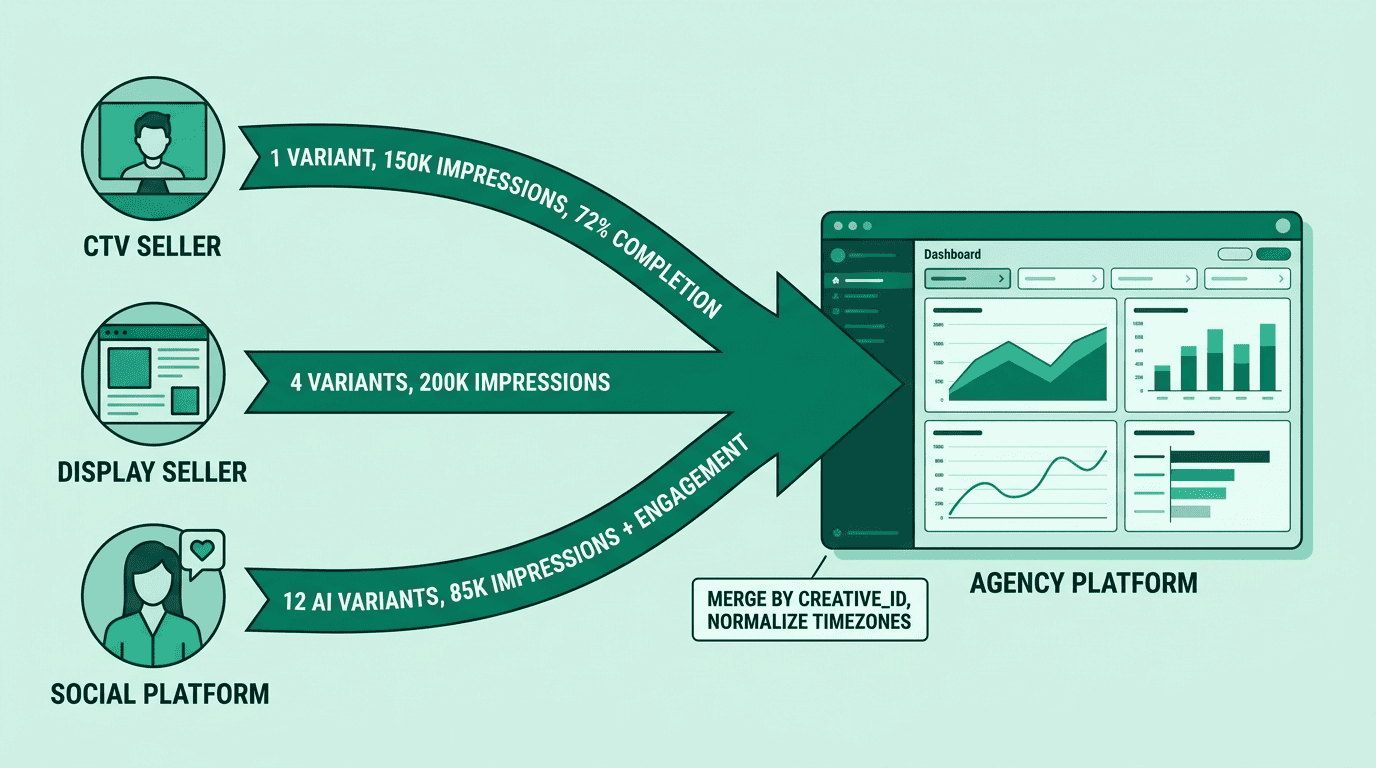
ext field — upvotes, comments, shares — alongside standard delivery metrics. Display variants include the manifest showing which headline/image combination each variant used. CTV includes completion rates and quartile data.
Step 8: Replay what ran

Step 9: Pricing and billing
Creative agents can charge for their services. Pinnacle’s account with each creative agent includes a rate card — the agreed pricing. For the ad server, Maya’s platform callslist_creatives and each creative includes pricing_options. For the transformation agent, pricing appears on list_creative_formats instead — the format is the product. When build_creative runs, the response includes vendor_cost so the platform knows what each build cost.
After the campaign, Maya’s platform calls report_usage on each creative agent with the creative_id and pricing_option_id from the build response. This closes the billing loop — the creative agent can verify the reported cost matches its rate card.
Different agents price differently. The CTV ad server charges CPM (cost per thousand impressions served). The transformation agent charges per format adapted. The AI generation platform charges per image generated. The protocol handles all of these through the same pricing_options pattern — see the pricing specification for details.
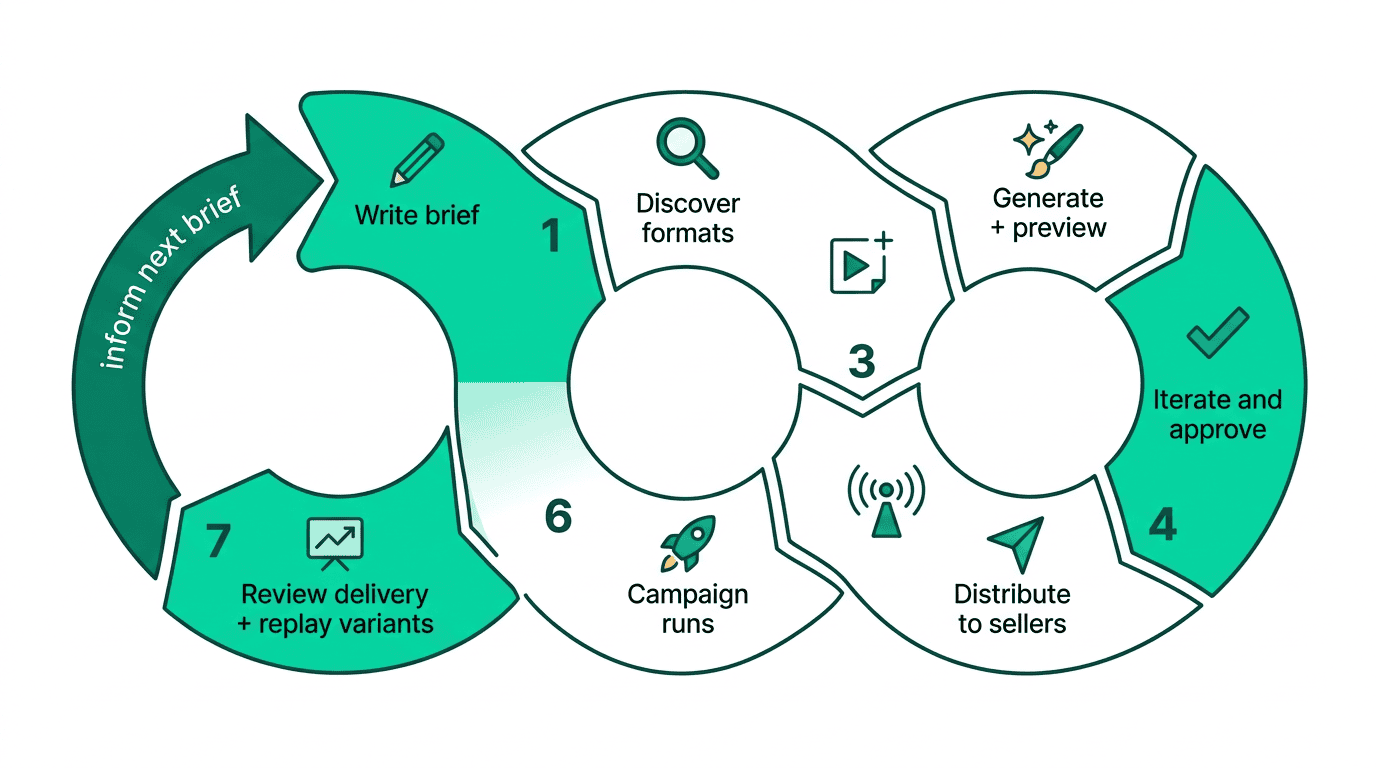
The full picture
Go deeper
- Key concepts: Assets, formats, manifests, and creative agents — the building blocks behind this walkthrough
- AI creative: AI creative for campaign teams — the strategic view for non-engineers
- Generative creative: Generative creative — Tier 1, 2, and 3 in depth
- Build an agent: Implementing creative agents — make your platform speak AdCP
- Orchestrate: Multi-agent orchestration — the engineering patterns behind Maya’s platform
- Get certified: The Buyer track teaches the full creative workflow through interactive modules